Outcrop

Read the rocks around you. Hold up your phone and Outcrop draws the geologic map onto the land in front of you, each rock unit named. It works offline too.

Coming soon to the App Store Coming soon to Google Play

Free, for iPhone and Android. Geologic maps worldwide from Macrostrat.

Earth’s history

Each unit’s page in Outcrop shows where its age falls in Earth’s 4.5 billion years.

  • Cenozoic 66–0 Ma
  • Mesozoic 252–66 Ma
  • Paleozoic 539–252 Ma
  • Precambrian 4540–539 Ma

Hover over or tap the line to read a period or an event.

Geologic maps in augmented reality

Hold your phone up to a canyon wall, a road cut or a far ridge. Live draws the geologic map onto the land through your camera in augmented reality, names the unit under the reticle and outlines it, and labels the peaks and lakes in view.
A peak cut into rock layers inside the viewfinder, a label on its summit and the unit under the reticle named below. Brahma Temple Redwall Limestone Mississippian

Know what’s under your feet.

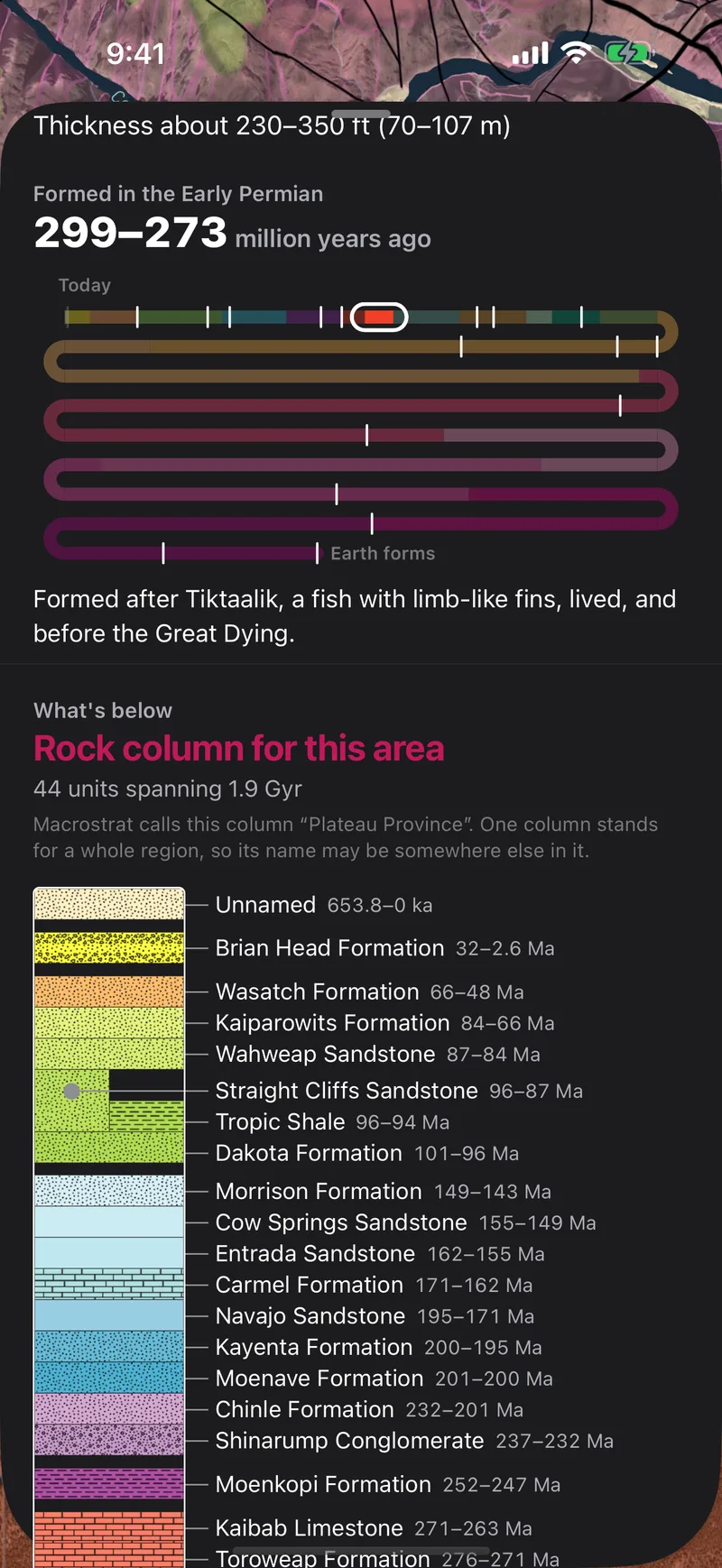
The map opens on the rock where you’re standing: its name, its age, what it’s made of and how it formed. Pull it up to see the column of rock below you and the fossils found in it. Tap anywhere else to read that spot instead.

A unit's page in Outcrop at Yavapai Point: the Kaibab Formation, 299 to 273 million years old, marked on a timeline of Earth's history, and the column of rock below it, from the youngest units down to the Vishnu Schist.

From bedrock to topsoil.

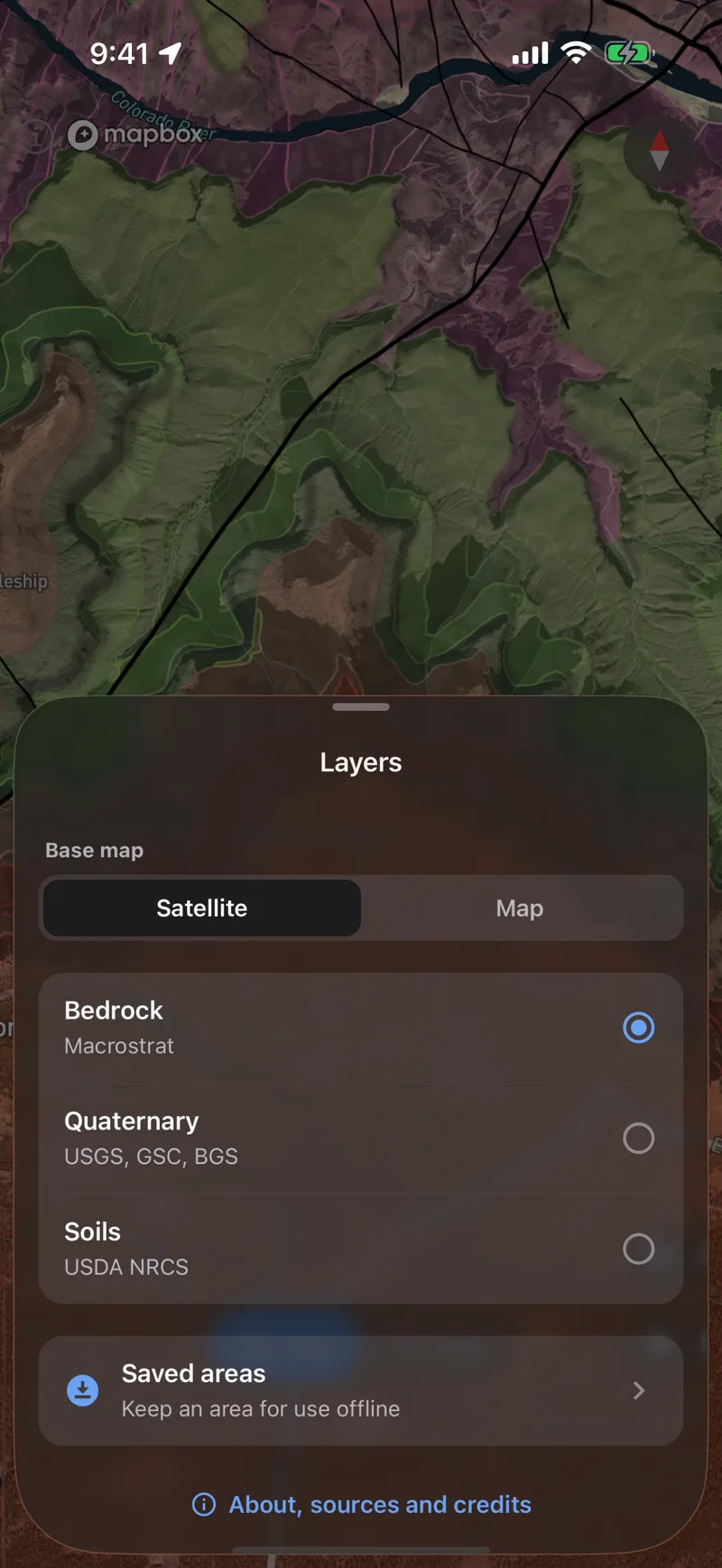
Read the bedrock and its faults anywhere on Earth from Macrostrat’s geologic maps. Switch to Quaternary geology for the glacial and river deposits on top and the faults that have moved recently. Then the soil and the plants that grow in it. On the map and in Live.

  • Bedrock and faults worldwide
  • Quaternary, active faults and soil in the US
The Layers sheet over the geologic map of the Grand Canyon, with Bedrock, Quaternary and Soils to choose from and Saved areas below.

Save it before you go.

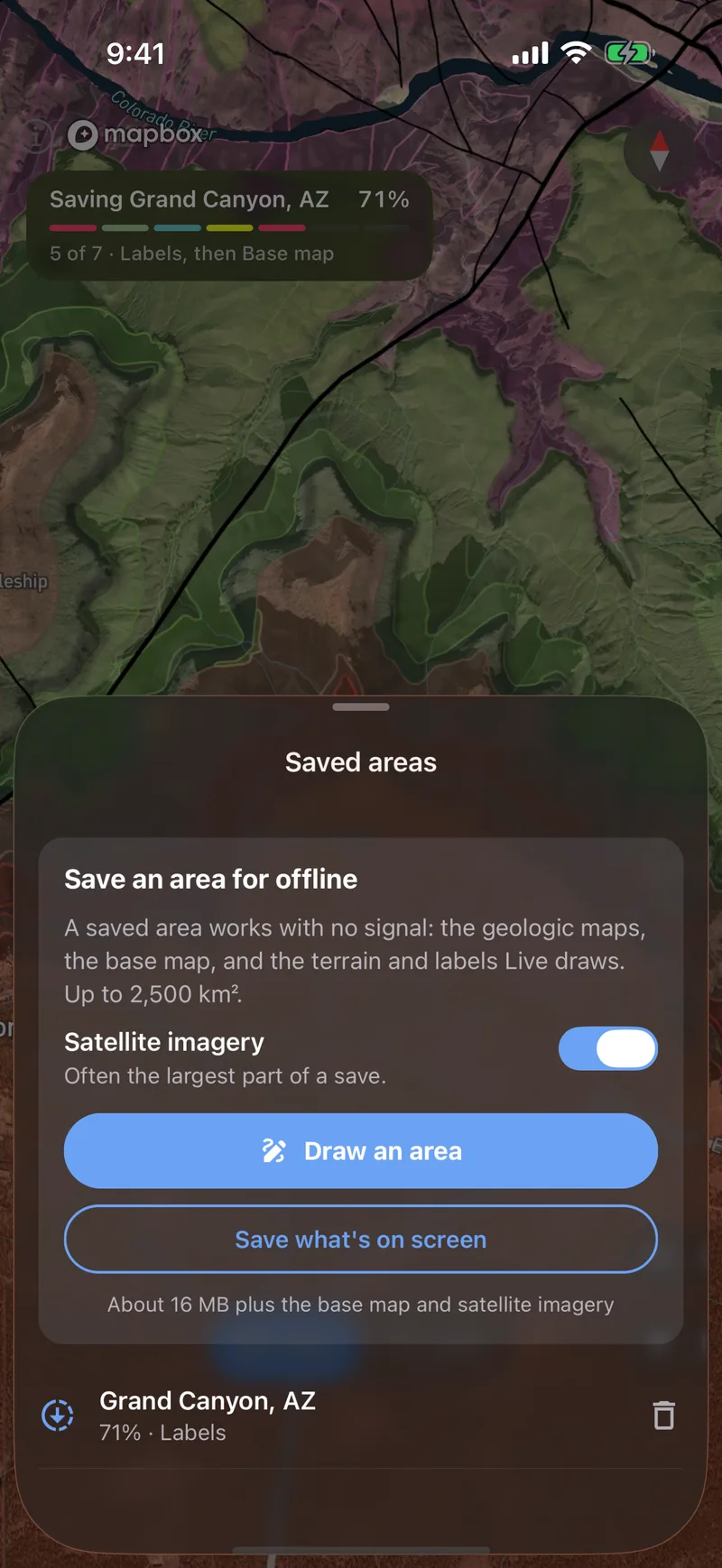
Outline the ground you’re headed for. Its geologic maps and soils are saved on your phone with the terrain Live draws on, its labels and the basemap. Add satellite imagery if you want it. The map and Live then work with no signal. Only the active faults need a connection.

Saving the Grand Canyon for offline use: the save at 71 percent, its finished steps coloured, under the Saved areas sheet.